![Screen Shot 2020-08-28 at 4.35.44 PM.png]](https://kb.mocingbird.com/hs-fs/hubfs/Screen%20Shot%202020-08-28%20at%204.35.44%20PM.png?height=40&name=Screen%20Shot%202020-08-28%20at%204.35.44%20PM.png)
Dashboard
When I renew my license with the state, is that automatically updated in Mocingbird?
- Mocingbird is not integrated with any of the state boards. We suggest that you:
- Go to Mocingbird prior to renewing your license to ensure all requirements have been completed.
- Renew your license with the state.
- As a final step, go into your Mocingbird account and “Attest as Renewed” on the Renew State License task for the state in question.
- Please make sure all questions are confirmed and saved and this will generate the next cycle of your license with new tasks.
- Please see this short video for more information: "Renew State License" Button Explained Video
Is Mocingbird built to handle the Nurse Licensure Compact?
- Yes. This is a newer feature to Mocingbird and we are happy to say that we support the NLC. With this in mind, it is very important that all RNs and NPs add all of their RN licensure information to their Mocingbird profile.
- If you live in a non-compact state, then we need for you to ensure that your home state RN license as well as your RN licenses in all other states that you hold an NP license are entered into the platform.
- If you live in a compact state, then we need for you to ensure that your home state RN license is entered into the platform as well as all other non-compact RN licenses that you hold an NP license in. This will ensure that you see all of the correct requirements for each license you need to renew.
What is the inactive/active toggle on a license used for?
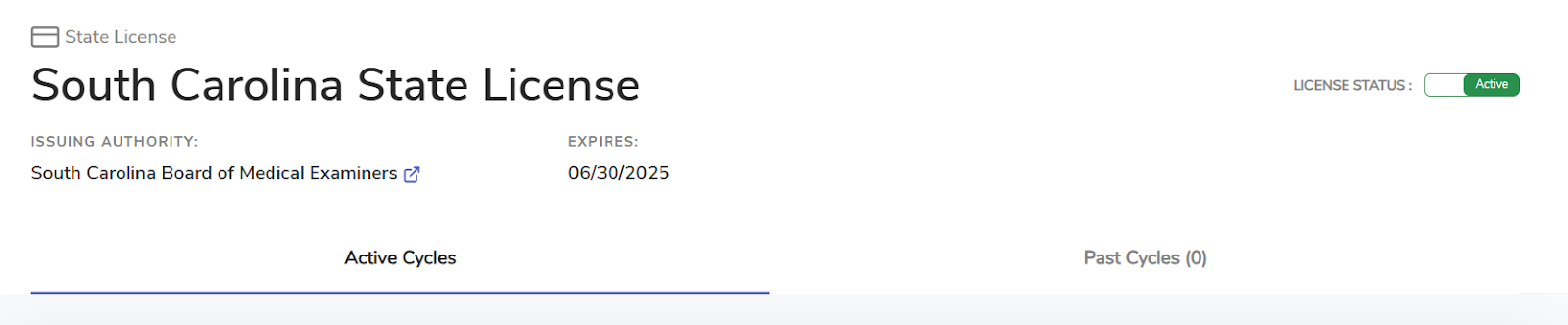
- There is a toggle in the upper right hand corner of each state license card. This is so you do not lose your data regarding a license in the event that you choose not to renew a state license. This will allow for you to inactivate the license which, in turn, will have the license card fall to the bottom of your dashboard and no tasks will be present as ‘to-do’.
- If you click this by accident, don't worry! Please send us a chat or email us at contact@mocingbird.com and we can reverse this for you.
File Cabinet
Resources
How many years of CE should be uploaded into Mocingbird?
- Please upload the last 3 years worth of CE. Some states renew every 3 years so this ensures we have all of your CE documentation for your renewals.
What types of CE documents are acceptable?
- We will accept both certificates and transcripts. We request that you please only upload transcripts provided by the content providers themselves. Aggregate CE transcripts can lead to duplicates in your account that we are unable to identify due to different naming conventions. If we see a file that we are unable to categorize, we will email you directly and link the file in question in the email. Any self reported spreadsheets will not be accepted because these would not be accepted by a state as proof of CE completion in the event of an audit.
Will transcripts from CE broker or AOA/AMA suffice as documentation?
- We prefer all certificates and transcripts to be from the content provider directly. We will accept transcripts from CE Broker, AOA and AMA but please note, if any credits are self reported, we may not be able to categorize these and there is a chance of duplicates due to the naming convention on aggregate CME transcripts.
- Please see here for supporting information on other types of acceptable documentation.
- Please use this list of Do’s and Dont’s for uploading guidance
How long will it take for my uploaded documents to be counted towards my state requirements?
- The Mocingbird platform is able to extract the data off of each certificate and transcript but we always have a Mocingbird team member go through every single document to ensure it is correct and that it is applied to all applicable state requirements. This can take up to 2 full business weeks for the initial data upload and we appreciate your patience!
Learning Center
Will the system have both free and paid CMEs?
- Yes. We pride ourselves on doing our best to provide as much free content as possible. Currently, about 60% of the courses we have on the platform are free.
What kind of courses does Mocingbird provide?
- Mocingbird has vetted every course we provide access to and have done our best to provide access to a wide variety of courses. About 60% of the courses available in the learning center are free.
- Please note that some states require very specific courses and those options are not always free options.
- The “Browse State Required Courses” tab allows you to refine your search by user type and state in which you are looking for a course. If you are looking for a course and you’re unable to find one that fits your needs, please contact our team and we will be able to assist you.
Account Information/Integrations
Will new clinicians be set up with Mocingbird profiles? Will the training materials/info be shared with new clinicians?
- New clinicians will be set up with a Mocingbird profile once we receive their account information and license details from your Administrators. Their welcome emails include training guides and a full recorded platform demo, but we are also always more than happy to host demos in the future for new clinicians.
Does Mocingbird report to CE Broker?
- No, Mocingbird does not have any integrations with CE Broker, but, it is easy to pull reports from Mocingbird to send to CE Broker. Through the file cabinet, you can pull a report (excel spreadsheet) which lists out all of the CE within the timeframe or parameters set by the filters.
- You can also download your files into a zip file if you need PDF copies of each certificate/transcript. This will allow you to extract the data and easily upload into CE Broker.
- Resources for your reference:
Does Mocingbird connect to the IMLC?
- No, Mocingbird does not have any integrations with the IMLC platform, but it is easy to pull reports from Mocingbird to report to the IMLC. Through the file cabinet, you can pull a report (excel spreadsheet) which lists out all of the CE within the timeframe or parameters set by the filters. You can also download your files into a zip file if you need PDF copies of each certificate/transcript. This will allow you to extract the data and easily upload into the IMLC platform.
- Resources for your reference:
When I get licensed in a new state, how does this get added to my Mocingbird platform?
- Your administrators are able to notify us of any newly obtained licenses. Any newly issued licenses will be added to your accounts for you. Please note that when you renew your licenses with the state, you will need to update this on your Mocingbird platform.